
Quick Reference
Use pov, min_size_bytes, and retry_on to bypass bot detection. Use delay and scroll_delay to ensure page assets load. Use click_accept, press_escape, and hide_cookie_banners to dismiss modals and banners.
See the full configuration below or browse all available options.
Facebook is challenging to screenshot programmatically due to aggressive bot detection and cookie consent dialogs, similar to Instagram.
This guide provides a working configuration for capturing Facebook content using the Urlbox Screenshot API.
Early Access Pricing
Point of View is a Urlbox feature that makes your requests appear as if from a regular user, helping bypass bot detection on platforms like Instagram and Facebook.
The pov and retry_on options used in this example are currently in early access. These features will incur significant additional costs once fully launched. Using pov: "hidden" will incur a 10x multiplier on the number of renders used by a request and is available from our HiFi plan and above. Contact us for current pricing details.
Why Facebook Screenshots Fail
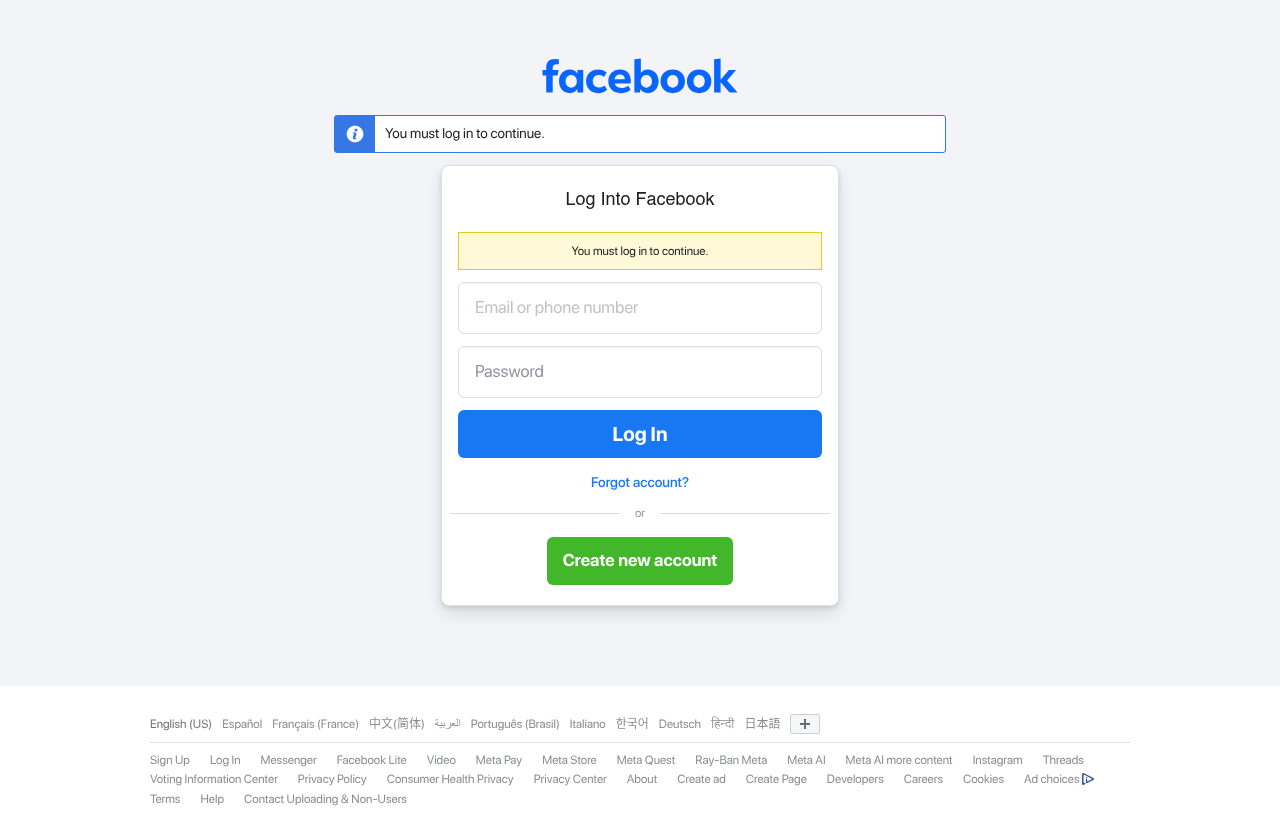
If you've tried screenshotting Facebook before, you've probably encountered:
- Bot detection: Facebook detects datacenter IPs and headless browsers, often blocking or redirecting requests
- Cookie consent dialogs: Cookie banners can obstruct the content
- Login prompts: Even public content triggers login redirects or modals
Working Configuration
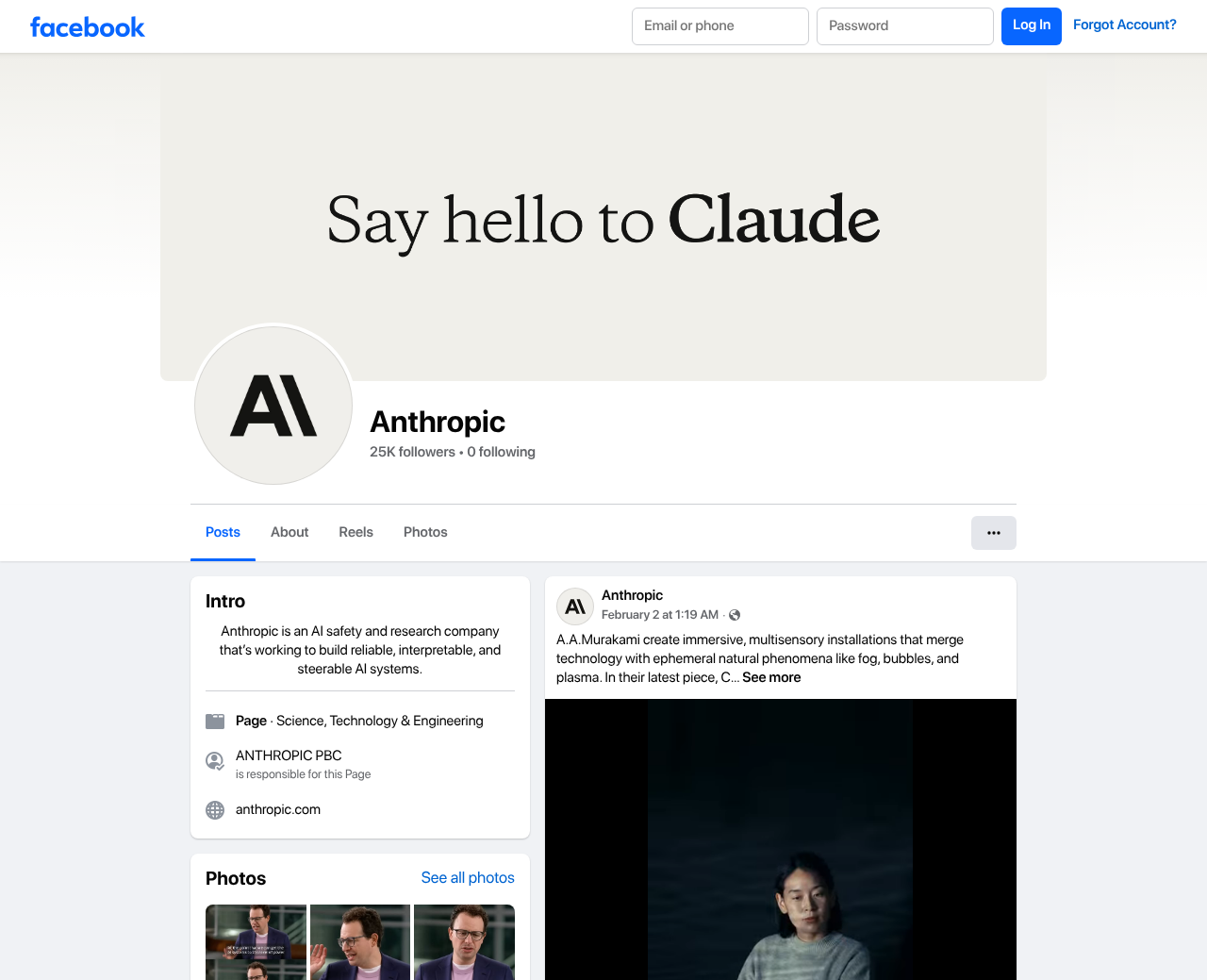
This configuration uses Point of View (pov: "hidden") combined with cookie banner handling to capture public Facebook content reliably.
{
  "url": "https://www.facebook.com/AnthropicAI/",
  "pov": "hidden",
  "full_page": true,
  "delay": 2000,
  "scroll_delay": 800,
  "retry_on": "small_size,timeout,5xx,4xx",
  "max_retries": 3,
  "retry_delay_ms": 2000,
  "min_size_bytes": 50000,
  "click_accept": true,
  "press_escape": true,
  "hide_cookie_banners": true
}
What Each Option Does
| Option | Description |
|---|---|
pov: "hidden" | Uses a Point of View to bypass bot detection. Makes your request appear as if from a regular doom-scroller! |
delay: 2000 | Gives time for Javascript on the page to settle after requests finish |
scroll_delay: 800 | When scrolling the page in steps, this delays each scroll to allow lazy-loaded content to appear |
retry_on: "small_size,timeout,5xx,4xx" | Retries the render when it's smaller than min_size_bytes, the request times out, or returns an error |
min_size_bytes: 50000 | Checks the minimum file size to catch blank or error pages |
click_accept: true | Accepts cookie consent banners |
hide_cookie_banners: true | Removes cookie and other bothersome banners using common heuristics |
press_escape: true | Presses the ESC key to help dismiss modals |
max_retries: 3 | Maximum number of retry attempts when retry_on is applied. |
retry_delay_ms: 2000 | The time to wait between retries in milliseconds when retry_on is applied. |
Important Notes
Response times: Using retry_on can significantly increase response times. Each retry adds the base render time plus retry_delay_ms, so a request with 3 retries could take considerably longer than a single render. For time-sensitive use cases, consider using webhooks or the async endpoint for asynchronous delivery instead.
Public content only: This configuration is designed for public content. Results may vary for private profiles, groups, or content that requires login.
Things change: These configurations work as of February 2026. Facebook regularly updates its bot detection, so you may need to tweak these over time. If something stops working, get in touch and we'll help you through it.
More Social Media Guides
Looking to screenshot other platforms? See our guides for Instagram, X/Twitter, and TikTok, or our complete social media screenshot guide.
Looking for a no-code solution? CaptureDeck lets you screenshot social media at scale without writing any code.